The short version
If you read nothing else- Women are still using AI less than men, across study after study.
- Meanwhile we carry most of the household mental load: the remembering, the planning, the noticing.
- Different AI tools are good at different jobs. Pick by the job, not by the hype.
- Start small: one meal plan, one subscription audit, one dreaded email. Then keep the ones that stick.
My referral codes
Use these when you sign up. They’re referral codes, so I benefit when you use them. They cost you nothing extra, and they didn’t change a word of this post.
Meta Muse
You get 1 billion free tokens. Enter the code within 48 hours of signing up: Settings → General → Redeem invite/referral code.
Claude
Sign up with my linkOpens Claude’s sign-up page with my referral already attached. Nothing to copy.
Pour the coffee. This one is less about technology and more about the list in your head: the dentist reminder, the permission slip, the birthday gift, the thing the dishwasher is doing again, what’s for dinner on Thursday.
I started using AI for work. Where it surprised me was at home, on the small, constant jobs nobody sees and nobody thanks you for. It doesn’t do them perfectly. It does take the first pass off my plate, and some weeks that’s everything.
The numbers, in plain English
We’re showing up to AI later than men. A survey of US household heads for the Bank for International Settlements found about 50% of men had used generative AI in the past year, compared with 37% of women (BIS, 2024). A larger review led by researchers at UC Berkeley’s Haas School of Business pulled together 18 studies covering more than 140,000 people and found women were about 20% less likely to use it (eWeek, 2025).
The BIS researchers found the biggest reason wasn’t income, age or education. It was how much people felt they knew about it, which explained roughly three quarters of the gap. That’s fixable over one cup of coffee.
And the list at home? A study from the University of Bath and the University of Melbourne asked 3,000 US parents who handles the household’s mental load. Mothers reported doing about 71% of it, and about 79% of the daily tasks like cleaning and childcare (University of Bath).
The people carrying the most invisible work are the ones using the tool built to take some of it.
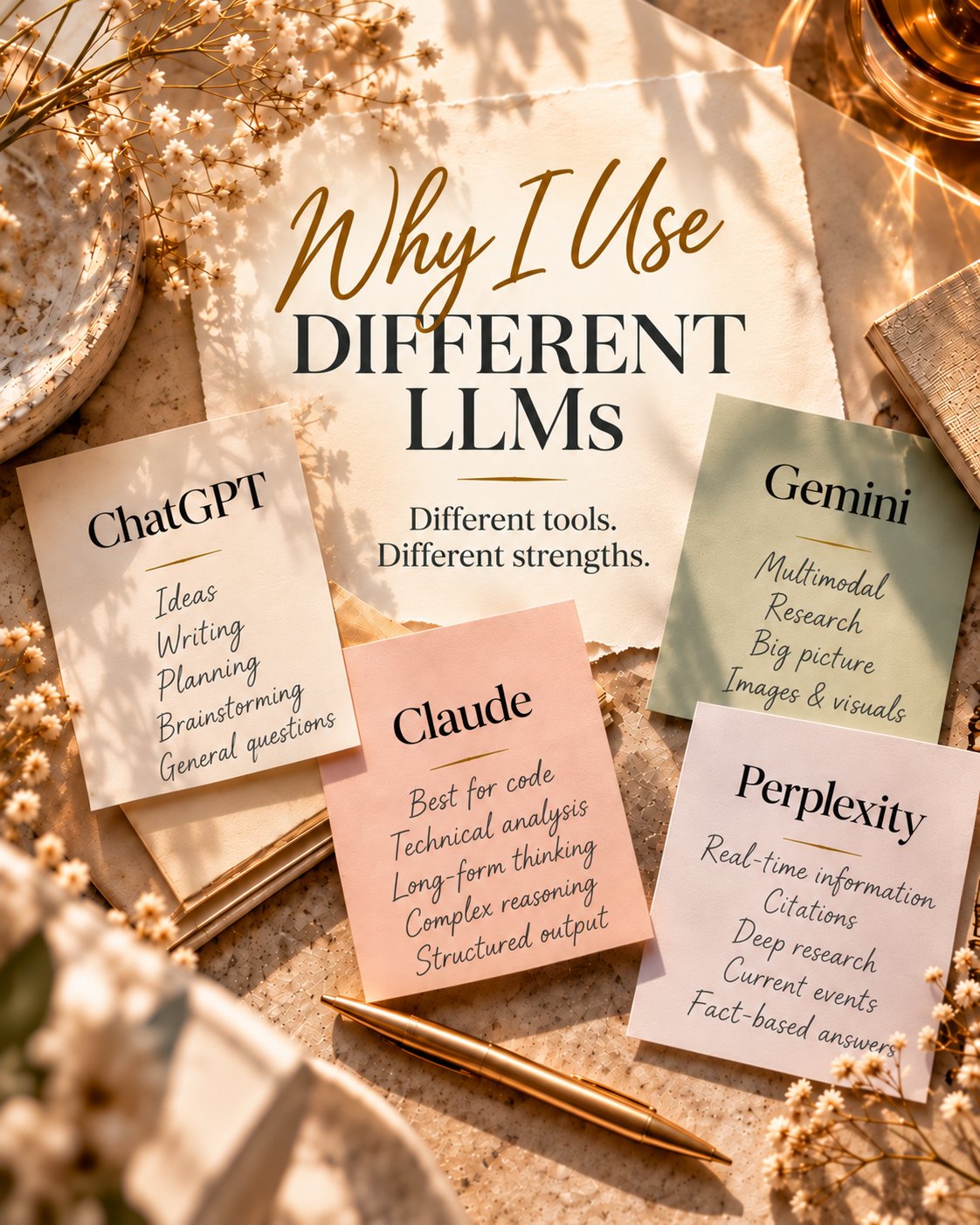
Which AI for which job
There isn’t one “best” AI anymore. After a few weeks of using them side by side, this is how they sorted out for me.
Meta Muse
An AI agent that does things for you, not just talks about them. Meta launched it in the US on September 8, 2026. Logged in to a phone or service account, it’s the one I’ve seen dig for discounts, compare promo pricing, audit subscriptions and fill out the form, instead of stopping halfway.
- Free basic version; paid tiers reported at $20 and $100 a month
- It asks for your approval before sensitive steps like sending an email or making a purchase
- Meta itself says it won’t be error-free, so check what it submitted
ChatGPT Dots
OpenAI’s always-on agents inside ChatGPT, for its top-tier plans. In my use they’re good at background research and summaries, and they hand the screen back to you the moment a login, a form or a checkout shows up. Great researcher; not the one to send on errands.
Google Gemini
Clean, natural writing that doesn’t try too hard, and it lives inside Gmail, Calendar, Docs and Drive. If the family runs on a Google calendar, this is the one that can read it. It also handles very long documents, like a whole school handbook or an insurance policy, in one go.
ChatGPT
My daily driver for quick drafts, and the best voice mode out there. I talk the week out loud on a walk or in the car pickup line and let it turn the ramble into a list.
Claude
Brilliant at code: it can build you a little chore chart, budget tracker or packing-list app right in the chat. For writing, I find it sounds a bit polished and therapist-y, so I use Gemini or ChatGPT for anything with my name on it.
Perplexity
Searches the web live and puts a source next to every claim. For “is this recall real?” or “which car seat fits a compact car?”, this is the one I trust, because I can click through and check.
Grok
Plugged into X in real time, so it’s fastest on breaking news, school-closure chatter and what everyone is reacting to right now. Looser personality, fewer guardrails. Fun for a gut check; not where I’d get advice.
Real ways to use it around the house
Copy any of these into the tool next to it and swap in your details.
Meals and groceries
- The weekly plan. “Plan five weeknight dinners for a family of four, under 30 minutes each, one vegetarian, no mushrooms. Then give me one grocery list sorted by store aisle.” (ChatGPT or Gemini)
- The fridge rescue. Snap a photo of the fridge and ask what you can make tonight with what’s already in it.
- The scaled recipe. “Double this recipe and convert it to cups.” Paste the recipe below.
Money and bills
- The subscription audit. Paste a month of card transactions (cross out the card number) and ask it to list every recurring charge and what it costs per year. (Any chat tool; Muse can go further and check the accounts for you.)
- The better rate. Ask Muse to check your phone or internet account for promotions you qualify for, then approve the switch yourself.
- The bill that looks wrong. “Explain this medical bill line by line and tell me what to ask the billing office.”
Schedules and the family calendar
- The Sunday brain dump. Talk through the week in voice mode, then ask: “Turn that into a list by day, and flag anything that needs buying or signing.”
- The school email pile. Ask Gemini to find this month’s school emails in Gmail and list every date, deadline and thing to send in.
- The chore chart. “Make a weekly chore chart for kids aged 7 and 11, fair by time, with one shared job.” Ask Claude to turn it into a printable page.
The house itself
- The mystery noise. Describe what the dishwasher or furnace is doing and ask for the likely causes, from free fixes to “call someone.”
- The seasonal list. “Give me a fall home maintenance checklist for a two-story house with a gas furnace.” Pair it with the fall reset.
- The manual you lost. Ask Perplexity for the manual or warranty terms by model number, with a link to the source.
Emails you’ve been avoiding
- The polite no. “Help me say no to chairing the bake sale, warm but final, three sentences.”
- The landlord, contractor or HOA. Give it the facts and the outcome you want; ask for a firm, friendly email.
- The thank-you notes. List the gifts and who sent them; ask for short notes that don’t all sound the same.
A few house rules
- Don’t paste what you wouldn’t email a stranger. Account numbers, Social Security numbers and passwords stay out of the chat.
- Check the “done.” If an agent submitted something, read the confirmation email.
- Ask for sources on anything that matters. Health, money and legal answers get a source you can click.
- Make it sound like you. Rewrite the first and last line of anything it drafts.
My referral codes
Use these when you sign up. They’re referral codes, so I benefit when you use them. They cost you nothing extra, and they didn’t change a word of this post.
Meta Muse
You get 1 billion free tokens. Enter the code within 48 hours of signing up: Settings → General → Redeem invite/referral code.
Claude
Sign up with my linkOpens Claude’s sign-up page with my referral already attached. Nothing to copy.
The Muse code and the Claude link are referral codes and benefit Cashmere Brunch when you sign up. No other link on this page earns us anything, and no AI company paid to be on this page.
Want to put AI on your resume, too? Start with the three AI credentials worth your time. And for the gadgets that make the house run a little smoother, see the tech edit.
None of this is financial, legal or medical advice. AI is a first draft, not the final word.
Until next time—keep your coffee warm, your boundaries clear, and your standards high.